 Gaurav Sabharwal
OKR Meaning Explained: What Is an OKR? Definition, Types & Examples
Most teams are not short of work; they are short of clarity. I have […]
Did you ever design an elegant solution, only to see that users fail to perform simple tasks?
It occurs all the time. According to research by Nielsen Norman Group, a user can abandon a website within 10-20 seconds of visiting a page if it doesn’t deliver enough value right away.
This is why the goals of a UX team cannot be limited to designing wireframes and prototypes. UX OKRs allow tying the design process to real improvements in users’ behavior.
This article will explain how to set realistic UX OKRs and share practical UX goals examples that design teams can adapt.
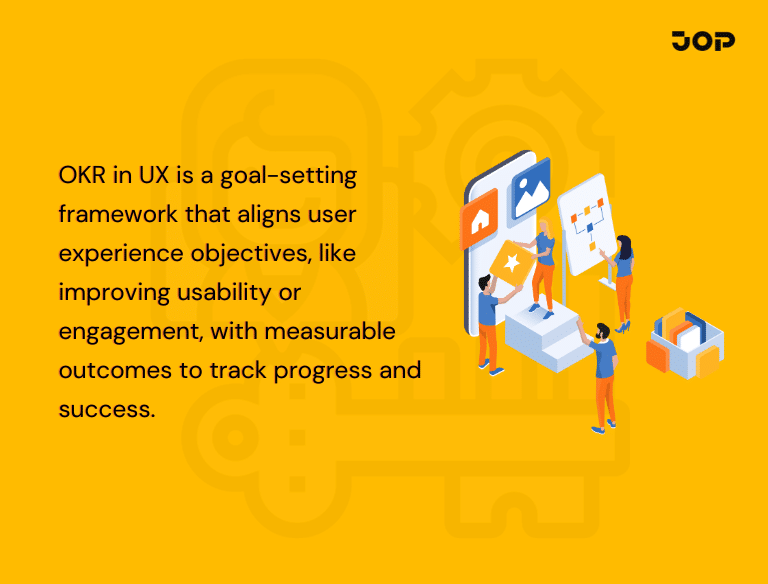
UX OKRs enable design teams to enhance user experiences of the product, website or service.
A single OKR has two elements:
Objective: The desired improvement area.
Key Results: Quantifiable outcomes indicating progress toward the Objective.
For instance,
Objective: Improve the onboarding process for new users.
Key Results:
Objective provides the goal, whereas Key Results define success.
“Redesign onboarding screens” is a project.
“Increase onboarding process completion rate from 62% to 82%” is a Key Result.
Well-formulated UX OKRs concentrate on quantifiable changes in user behavior rather than completed design tasks.
Useful UX OKRs must promote improvement without setting impossible expectations.
General objectives such as “Provide excellent user experience” are well-meant but too vague. A more specific Objective would be:
Enable new users to discover the basic value of the product sooner.
This provides designers, researchers, product managers, and engineers with a clear challenge.
Typically, I start by pinpointing areas that present the most friction in the user journey via:
It is not about creating an OKR for every UX challenge. Rather, it is choosing one or two important objectives based on their impact, urgency, importance, and available resources.
An effective Objective describes the need for improvement, not how to improve UX.
Instead of:
Redesign the mobile checkout.
Use:
Create an enhanced and easier mobile checkout process.
It provides the sales team with a space to design, create content, conduct research, and develop technologies.
After setting the objective, it’s necessary to define the measurable results that will demonstrate the improvement in the user experience.
UX Key Results can include:
Each Key Result should contain the baseline and the target when it’s possible.
Instead of: Improve checkout completion.
Use:
The most useful UX goals examples combine behavioural, satisfaction, and friction-related measures to provide a complete view of progress.
Objective: Assist users in finding and using reporting tools.
Key Results:
Once the Key Results have been set, look for the projects that will help to deliver them.
The projects for an onboarding Objective could be:
Prioritize UX projects in accordance with the impact, effort, urgency, and relevance to the Key Results of each project.
I like to ask myself just one question:
Which project would help me the most to move forward in terms of the target metric?
Formulating UX OKRs is just a beginning step. Team members should analyze them from time to time to identify whether their efforts positively affect the user experience.
It is possible to assess Key Results using a grade between 0.0 and 1.0:
0.0 – No progress
0.3 – Some progress
0.5 – Reached half of the goal
0.7 – Strong progress
1.0 – Met the target
For instance, when the task success rate has to grow from 60% to 80% and becomes 70%, it may be considered a 0.5-graded Key Result.
While grading shows how much teams have progressed, it is also useful to discuss what factors have positively/negatively affected the result.
Two aspects are to be monitored by UX teams:
Outcome progress: Is the experience improving?
Work progress: Are the intended tasks executed?
For example, the project is 90% finished, but the corresponding Key Result is realized at 40%.
Not all Key Results might carry equal weight in achieving the objective.
For instance Objective: Make our onboarding more effective.
Make the onboarding experience more satisfying for users, bringing up their score from 3.8 to 4.3—10%
Applying weights to your Key Results will give you a better picture of the big picture. The weights must be assigned at the time of OKR creation.
UX OKRs must drive day-to-day research, design, sprint planning, and product evaluation processes and not stay only within the scope of a quarterly OKR document.
UX OKRs must help achieve the greater goals of the product.
For instance, if the company wants to reduce churn or increase trial-to-paid conversion rates, the UX OKR could be about onboarding, discovering features or increasing value.
It is necessary to demonstrate that a good UX is beneficial to product growth.
First, identify your baseline before coming up with any targets.
If you don’t have a baseline, then you won’t be able to evaluate the success of an experience improvement effort. If there is no data available at all, the first thing to do is develop the metrics measurement system.
Research should inform the Objective, be used for project management, and provide validation of the results.
Use initial research to pinpoint the user problem, use usability testing to evaluate the solution, and conduct a follow-up study to measure the improvement.
The strongest user experience goals examples are grounded in research and reflect actual user behaviour rather than internal assumptions.
The success of UX often relies on collaboration between designers, engineers, managers, marketers, and other teams interacting directly with customers.
Accessibility considerations must be included in your UX OKRs right from the start.
Some relevant key results may be:
This makes your user experience goals examples more inclusive by considering the needs of a wider range of users.
Clear OKRs will guide you when making decisions about priorities.
Every time there is something new, you should ask yourself whether it helps you achieve any Key Result, solve an important user problem, and positively influence any measurable result.
It will make your prioritization process more meaningful.
An incomplete key result does not necessarily mean that you did not succeed. Instead, it could mean that your assumption was wrong, there were dependencies or the metric itself was not suitable.
After each cycle, reflect on how things worked out and what should be done better next time.
In such a way, you will turn UX OKRs into a learning process rather than a scoring one.
Below are practical UX goals examples that connect design efforts with measurable results. Adjust the targets according to your current data.
Objective: Create a streamlined and replicable design process.
Key Results:
The OKR emphasizes faster, better, and consistent processes as opposed to making more designs
Objective: Improve the performance of the website to increase its speed and stability.
Key Results:
Web performance is an aspect of the UX that determines user behavior since poor web performance affects the user’s experience.
Objective: To make the website more user-friendly and accessible.
Key Results:
These examples of goals for improving user experience consider usability, accessibility, and behavior metrics all together instead of separately.
Objective: Assist the user in learning about the use of the new feature.
Key Results:
Launch success involves not only the timely launch of the feature but also whether the users have accessed and used it.
A good set of UX OKRs will allow the team to know how much the product has been improved in terms of usability, speed, efficiency – not just the completion of the design work done.
The best UX goals examples focus on real user problems, measurable results, and projects that directly support those outcomes. In addition to that, UX OKRs provide design teams with additional means for prioritization, progress reviews and showing the impact of UX within the company.
When reviewing user experience goals examples, I recommend choosing focused Objectives, using credible baselines, and regularly checking whether the experience is improving. Above all else, it is important to see OKRs as a way of improving decision making.
This goal can be achieved using JOP as the tool to create, align and manage UX OKRs together with relevant projects and reviews.


UX OKRs are measurable goals that help design teams improve user experiences. The Objective defines what needs improvement, while Key Results track whether the improvement happened.
